
Panduan Airdrop Play AI$PLAI
Terdaftar sejak · Diperbarui
Status
BerakhirFunding
$6.30MBiaya
Belum diketahuiEstimasi Waktu
—Tipe
airdropTentang Proyek
Play AI ($PLAI) adalah proyek kripto dengan status Potensial 🔶 yang berpotensi memberikan airdrop kepada pengguna yang berpartisipasi aktif.
Total Dana Terkumpul: $6.30M
Investor Pendukung: P2 Ventures (Polygon Ventures), Jump Crypto, MH Ventures, Tykhe Block Ventures, Alpha Wave Global
📋 1 Task Tersedia (beberapa task sudah melewati deadline)
📅 Pertama Muncul: 1 Agustus 2025
Instruksi dan Tugas
Ikuti langkah partisipasi berikut. Peluang airdrop tidak menjamin penerimaan reward.
Point Farming (Season 2)
Play AI has launched Season 2 of point farming with a prize pool of $50M PLAI! We can continue doing tasks and qualify for another airdrop from the project.
1. Go to the website and connect your wallet:
2. Go to your profile and create an internal wallet in any convenient way. Here, you can also link your social accounts, as well as EVM and Solana wallets.
3. Go to Play Portal → Aura Chat. Start interacting with the bot. It’s recommended to ask it to swap or transfer tokens, check your balance, etc.
4. Go to the Earn with Missions section. This is where your Aura points, leaderboard rank, and referral code are displayed. Share your code to unlock access to other chats. Complete the daily check-in and all available tasks. Currently, there are 15 missions available.
5. Go to the Mine Data section. In the Verify Data tab, begin verifying news. If it’s accurate, click Approve and Verify; if not, click Reject Mining.
6. In the same section, under Curate Data, copy the phrase @aura_playai mine this and comment it under verified news posts on X (formerly Twitter).
Discord Roles
Cara lain untuk tetap aktif di Play AI adalah dengan mendapatkan peran Discord, yang berpotensi meningkatkan airdrop masa depanmu!
1. Join server Discord dan selesaikan verifikasi.
2. Mulai selesaikan persyaratan untuk mendapatkan berbagai peran.
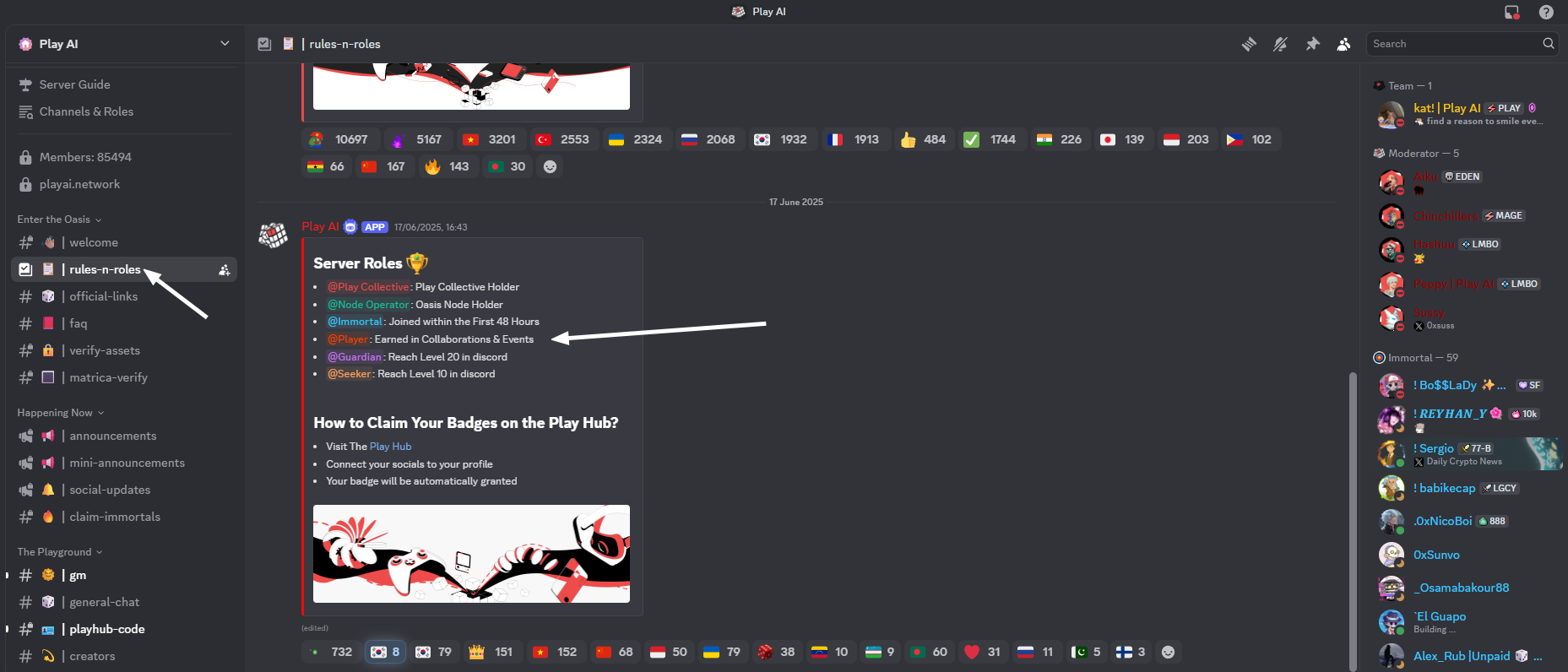
3. Peran termudah untuk didapatkan adalah Seeker — cukup tetap aktif dan mengobrol di server, lalu capai Level 10.
Point Farming (Season 1)
Some time ago, Play AI updated PlayHub. New workflows have been added, which we can try delegating to AI. We can also farm Aura — in-platform points that are expected to be convertible into tokens!
1. Go to the website, connect your wallet, and enter the referral code: rb0xwz3806.
2. Go to your profile and create an internal wallet in any convenient way. Here, you can also link your social accounts, as well as EVM and Solana wallets.
3. Go to Play Portal → Aura Chat. Start interacting with the bot. It’s recommended to ask it to swap or transfer tokens, check your balance, etc.
4. Go to the Earn with Missions section. This is where your Aura points, leaderboard rank, and referral code are displayed. Share your code to unlock access to other chats. Complete the daily check-in and all available tasks. Currently, there are 15 missions available.
5. Go to the Mine Data section. In the Verify Data tab, begin verifying news. If it’s accurate, click Approve and Verify; if not, click Reject Mining.
6. In the same section, under Curate Data, copy the phrase @aura_playai mine this and comment it under verified news posts on X (formerly Twitter).
7. Join the Discord server. In the #verify-assets and #matrica-verify channels, check your wallets for eligible roles. These will also automatically grant you badges in the Earn with Missions section.
Airdrop Terkait


Dapatkan Update Airdrop Terbaru
Subscribe newsletter kami untuk notifikasi airdrop baru, deadline claim, dan panduan eksklusif.